Categories
Browse by question

Seen from the side, key height and the gap under each cap are what give a keyboard its travel.Photo: Carissa Rogers · CC BY 2.0 · Wikimedia Commons · Open source page How to choose
The decisions that actually change what you end up with.
1 guides

Backlighting makes a keyboard usable in the dark, and dual-alphabet caps show a localised layout.Photo: Gre123gr · CC0 · Wikimedia Commons · Open source page Comparisons
Like-for-like comparisons on the specifications that matter.
0 guides

Dust builds along the key edges first, which is where a chiclet keyboard tends to go sticky.Photo: Gugalcrom123 · CC BY-SA 4.0 · Wikimedia Commons · Open source page Budget and prices
What the total comes to once everything is counted.
1 guides
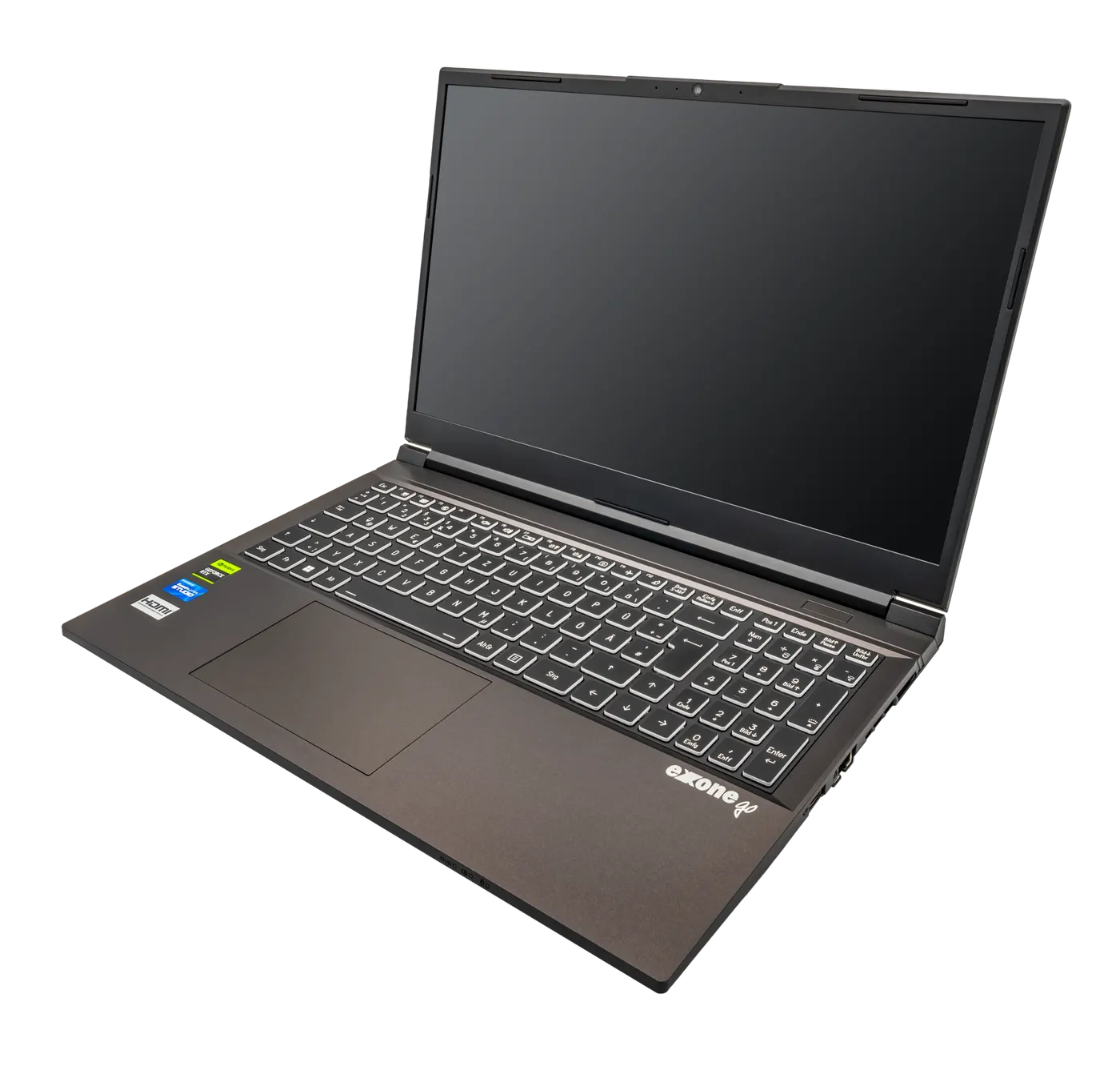
A 15-inch chassis is wide enough for a number pad, which shifts the main keyboard off centre.Photo: PantheraLeo1359531 · CC BY 4.0 · Wikimedia Commons · Open source page Setting up
Getting it working properly the first time.
1 guides

A detachable screen without its keyboard, resting on a white surface at its lock screen.Photo: KK IN HK · CC BY-SA 4.0 · Wikimedia Commons · Open source page Performance
What the numbers mean in day-to-day use.
0 guides

A tower-and-CRT desktop still in daily use, with the monitor the only light in the room.Photo: Kskhh · CC BY-SA 4.0 · Wikimedia Commons · Open source page Common mistakes
The expensive errors that are easy to avoid.
0 guides